
Traffic Navigation and Core Loop
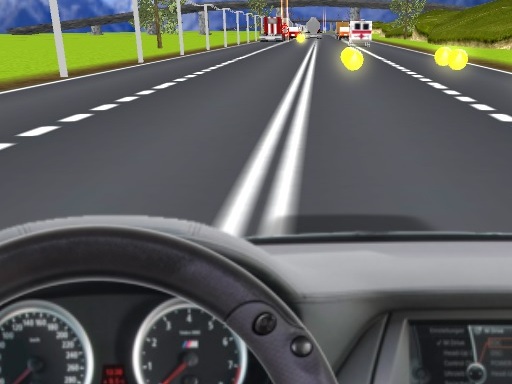
City Drive 3D Racing puts you behind the wheel on a multi-lane urban road where the only rule is to keep moving. Your car travels forward automatically; you control left and right lane changes using arrow keys or touch controls. Other vehicles share the road, moving in the same or opposite direction. Touch one and the run ends immediately. The challenge comes from reading traffic flow, spotting gaps, and committing to lane changes at the right moment. [IMG_1]
Three Modes, Three Pacing Styles
The main menu offers three distinct modes. One is a timed survival challenge: stay collision-free for a set duration. Another is an endless run that continues until a crash. The third mode is not detailed in the source material, but the menu structure implies a separate objective. Each mode changes how you approach risk. A timed run rewards cautious, consistent lane discipline, while an endless run encourages gradual speed increases to maximize score before a mistake ends the attempt. [IMG_2]
Scoring, Difficulty, and Progression
Points accumulate from distance covered and speed maintained. Driving faster multiplies your score but shrinks reaction windows and increases traffic density as the run progresses. That creates a natural difficulty curve: early seconds feel manageable, then the road fills with vehicles and your margin for error disappears. Because scoring ties directly to speed, the game constantly tempts you to push harder than your current reflexes allow. [IMG_3]
Controls and Platform Access
Arrow keys handle lane changes on desktop, and touch controls cover mobile play. The interface stays minimal so the road remains visible. No downloads, registration, or account setup are required; the game runs in any modern web browser. Responsive design keeps the layout usable across screen sizes. Sessions are short by design, which makes repeated attempts easy and score improvement the primary long-term goal. [IMG_4]




Editorial Notes