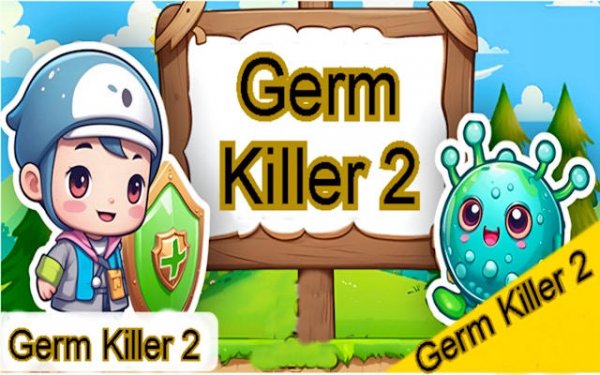
Germ Challenger 2 Adventure Quest

Ability Platformer
33
Developer: Marine Studio
Published: 2024-12-26
Updated: 2026-07-04
Germ Challenger 2 Adventure Quest

Reviews

Germ Challenger 2 Adventure Quest is a charming platformer that offers a balanced challenge for players of all ages. The HD graphics are clear and vibrant, and the controls work well on both desktop and mobile. The level-up system and progress bar add motivation, while the simple mechanics make it easy to pick up. It is a safe, enjoyable game with no violent content.

Description

Game Introduction

Germ Challenger 2 Adventure Quest is a platformer game where you control a small germ character traveling through bright, vibrant levels. The main goal is to navigate each level by jumping on enemies to overcome them while avoiding dangerous obstacles like spikes and pits. This game is built with Construct 3, making it easy for developers to customize and share. It features HD graphics at 1280x720 resolution for a clear, enjoyable visual experience. As an HTML5 game, it works smoothly on both desktop browsers and mobile phones, so you can play anywhere. The game offers a balanced challenge that is simple to learn but hard to master, making it suitable for all ages. It is designed for casual gamers and platforming fans alike, providing a fun, safe experience without any violent or inappropriate content.

How to Play

To play Germ Challenger 2 Adventure Quest, you use on-screen touch controls on mobile devices or keyboard and mouse on a desktop computer. Your main action is to jump on enemies to defeat them. If you touch an enemy from the side or below, your run ends, so timing your jumps is important. Use enemies as stepping stones to reach higher platforms. Watch out for hazards like spikes and pits that can end your run. Each level requires careful thinking and quick reactions. The game is easy to start, so you can begin your quest right away. A progress bar shows how far you have advanced, and a level-up system rewards your progress as you play.

Game Features

This platformer game includes multi-platform HTML5 support, so it works on desktop and mobile devices. It offers easy customization options for developers and dual control schemes: touch controls for mobile and keyboard and mouse for desktop. The game is ready for web deployment and features clear HD visuals at 1280x720 resolution. The design is user-friendly with simple mechanics, a progress bar to track your advancement, and a level-up system that rewards your progress. The clean graphics and smooth performance make it enjoyable for short gaming sessions. The game is family-safe and contains no violent or inappropriate content.

Tips for Success

To succeed in Germ Challenger 2 Adventure Quest, practice your timing and reactions. Learn how enemies and hazards move so you can avoid risks. Use enemies as stepping stones to reach higher areas, but always stay aware of your surroundings. Take your time to look at each level before moving, as careful planning helps. Regular practice will improve your control and reflexes. Stay patient and keep trying, as the game rewards careful thinking and quick actions.

Compatibility

✅ Works on PC & Mobile | Recommended: Chrome / Safari / Edge

Faq

Can I play Germ Challenger 2 Adventure Quest on my phone?
Yes, the game is built as an HTML5 game, so it works on mobile browsers with touch controls. You can play it on both desktop and mobile devices without needing to download anything.
Is Germ Challenger 2 Adventure Quest free to play?
The game is typically offered as a free-to-play web game. Since it is built with Construct 3 and designed for easy sharing, many versions are available online for free. Check the specific site for details.
Does the game have a story or plot?
The game focuses on platforming action rather than a deep story. You guide a germ character through colorful levels, overcoming obstacles and enemies. The main goal is to complete each level and progress through the quest.
Are there different difficulty levels in Germ Challenger 2 Adventure Quest?
The game offers a balanced challenge that is easy to learn but hard to master. While specific difficulty settings are not mentioned, the game gradually becomes more challenging as you advance through levels, requiring better timing and strategy.
Can I customize the game if I am a developer?
Yes, the game is built with Construct 3, which allows developers to easily customize and modify the game. You can change levels, graphics, and mechanics without needing advanced coding skills. This makes it a good learning tool.
Does the game save my progress?
The game includes a progress bar and a level-up system that tracks your advancement. Typically, HTML5 games may save progress using browser storage, but this depends on the specific version. You may need to check the game's settings for save options.