
Core Timing Mechanic
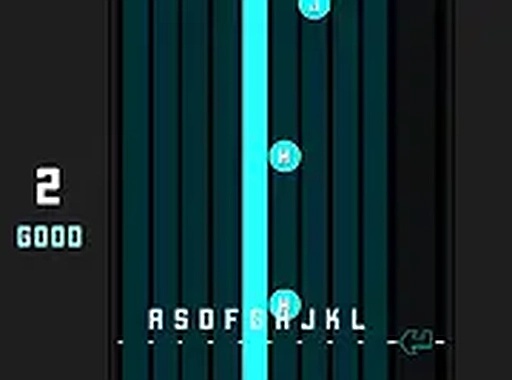
Pulse Key Tap centers on a simple interaction: colored markers travel toward designated zones at the bottom of the screen. Each marker corresponds to a specific key on your keyboard. Pressing the correct key as the marker enters its zone earns points. The game provides immediate visual and audio feedback for every action, helping you understand your accuracy in real time. This core loop is easy to grasp but demands consistent focus to master.
Lane System and Controls
The playing field is divided into three vertical lanes, each linked to a distinct color and a pair of keyboard keys. Markers appear in these lanes and must be matched with the correct key pair. An additional control lets you switch between lanes, which can help manage more complex sequences. The controls are designed for desktop keyboards and respond quickly to input. This system keeps the gameplay accessible while offering room for strategic thinking.
Visual and Audio Design
The interface uses a minimal aesthetic with clear, bright colors for the lanes and markers. This clarity ensures you can easily track the action without distraction. Audio cues accompany each successful hit, reinforcing the connection between your input and the game. The full-screen option removes browser elements for a more immersive view. The overall presentation supports the focus on timing without unnecessary elements.
Practice and Progression
Currently, the game includes one track for players to learn and perfect. This focused approach allows you to concentrate on improving your accuracy without switching between multiple songs. Each play session ends with a performance summary, showing your accuracy and areas for improvement. Repeating the same track helps build muscle memory and refine your sense of rhythm. This structure makes it suitable for both casual play and dedicated practice.






Player Comments
0 comments