Animal Crossing Quest 3D

3D Adventure
169
Developer: Guard Core Creations
Published: 2024-04-20
Updated: 2026-07-05
Animal Crossing Quest 3D

Reviews

Animal Crossing Quest 3D brings a classic arcade challenge to life with cheerful 3D graphics and simple controls. The game is completely family-friendly with no violence or scary content. The increasing difficulty keeps players engaged, and the bonus items add extra excitement. It is an excellent choice for short breaks or longer play sessions.

Description

Game Introduction

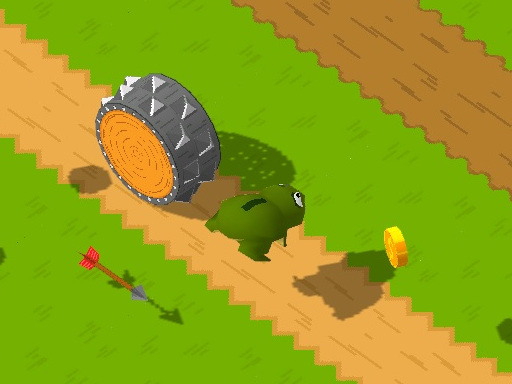
Animal Crossing Quest 3D revives the classic arcade experience where players guide a small animal across hazardous roads and rivers. The core objective is simple: reach the other side without being hit by vehicles or falling into the water. Each level introduces faster traffic and more complex obstacles, keeping the gameplay fresh and engaging. Designed for all ages, the game contains no violence or scary content, making it a safe choice for family entertainment. The cheerful graphics and straightforward objective make it easy to pick up and hard to put down. This game offers a modern 3D visual twist on a beloved classic, providing an enjoyable challenge for players of all skill levels.

How to Play

Players use directional controls to move their character up, down, left, or right across the screen. The main goal is to cross a road by avoiding cars, trucks, and other moving vehicles. After the road, players may need to cross a river by jumping on logs and turtles. Timing moves carefully is essential to avoid falling into the water. Each successful crossing earns points, and bonus items add extra scores. The game ends if the character is hit by a vehicle or falls into the water. Players try to beat their high score and see how far they can go.

Game Features

This game offers fun, safe, and family-friendly gameplay suitable for all ages. Controls are simple and easy to learn quickly. The difficulty increases progressively with faster traffic and trickier obstacles. Bonus items are available for extra points. There is no violence or scary content, making it great for short breaks or longer play sessions. The 3D presentation adds a modern visual twist to the classic arcade experience.

Tips for Success

Practice timing your movements to avoid fast vehicles and moving logs. Watch the patterns of traffic and river obstacles before making a move. Collect bonus items when possible to boost your score, but never risk a safe crossing for extra points. Stay patient and wait for safe gaps rather than rushing. Regular practice will help you recognize patterns and improve your reflexes, allowing you to advance further in the game.

Compatibility

This H5 game runs smoothly on:
• Desktop computers (Windows / Mac) • Mobile phones (iPhone / Android)
• Tablets (iPad / Android)
🌐 Best experienced with Chrome, Safari, or Edge

Faq

Is Animal Crossing Quest 3D available on mobile devices?
The game is designed to be played on standard web browsers on desktop and laptop computers. Some similar games may also be accessible on tablets, but mobile phone support is not guaranteed.
Does the game have an ending or is it endless?
The game continues as long as the player successfully crosses each level. There is no final ending; the challenge increases with each crossing, and the goal is to achieve the highest score possible.
Can I save my progress in the game?
Typically, arcade games of this type do not save progress between sessions. The game resets each time you start, and the focus is on improving your high score during a single play session.
Are there any in-app purchases or ads in the game?
The game is free to play without any in-app purchases. It may include advertisements, but these are non-intrusive and do not affect gameplay.
What age group is the game suitable for?
Animal Crossing Quest 3D is designed for all ages. The content is entirely family-friendly with no violence or scary elements, making it appropriate for children and adults alike.
How can I share my high score with friends?
The game does not have a built-in sharing feature. However, you can take a screenshot of your score and share it through social media or messaging apps to challenge your friends.